Folder Bot
ENKO
macOS · Apple SiliconMIT

One AI teammate
per folder.

Attach a Claude Code agent to each folder on the Mac you leave running. Message it from your laptop or your phone — and the work keeps going after your phone goes dark.

5-minute setup · requires a Claude Code CLI login
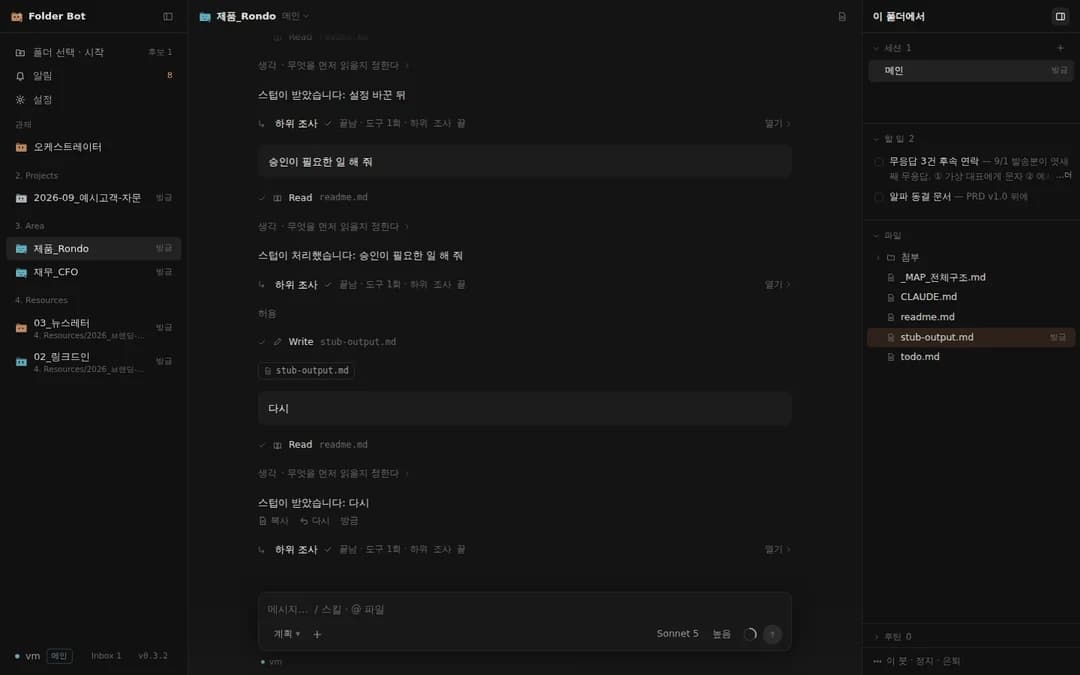
Folder Bot on the Mac desktop
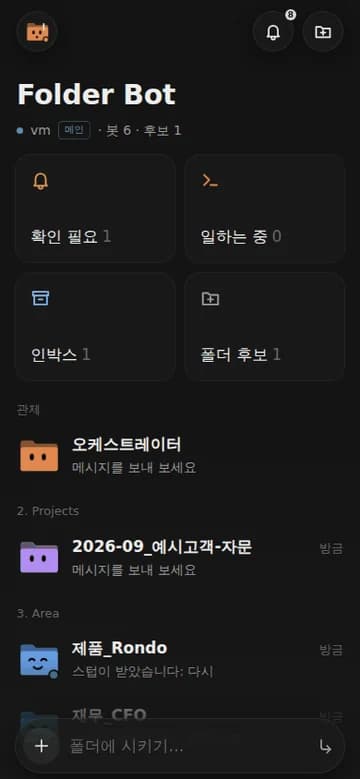
Folder Bot on the iPhone home screen

Screens are Korean — the app ships with a Korean interface today. English is coming.

Why it’s different

Coding agents think in repositories. Folder Bot thinks in the unit knowledge workers actually use — the folder.

Coding agents (Cursor, Claude Code CLI)Folder Bot
UnitA repositoryA folder — the PARA folders you already work in
ContextCodeThat folder’s CLAUDE.md, todo.md and material
WhereAt that computerOn your phone too — home-screen app, push, approval cards
Many at onceTabsA session per bot, with an orchestrator watching the inbox

A bot is a folder plus an agent

Pick a folder and it gets a CLAUDE.md and todo.md, then a Claude Code session. It reads and writes files, tidies them, and drafts documents.

The orchestrator

One bot lives at the vault root. It proposes where inbox files and folders should go (it acts only after you approve, and it can undo), and hands work to the other bots.

Remote first

A host Mac runs the bots; your laptop and phone see the same screen. You get a notification when something needs approval and when an answer lands.

Nothing hidden

Every tool call and subagent shows as its own line — answers large, machinery small.

The face is the statusBuilt so you can read what twenty bots are doing from one list.
Asleep
Idle
Working
Needs you
Done
Error

Install (5 minutes)

You need: an Apple Silicon Mac to host it · a Claude Code CLI login (Claude subscription or API key) · your phone and laptop on the same Tailscale network (recommended)

  1. 1

    Download the latest DMG and drag it into Applications.

  2. 2

    If macOS says the developer can’t be verified — it’s ad-hoc signed, without a developer certificate. One line in Terminal:

    xattr -dr com.apple.quarantine "/Applications/Folder Bot.app"
  3. 3

    Open the app, choose run the host on this Mac, and pick your vault folder (your PARA root). The folders inside become bot candidates and the orchestrator says hello.

  4. 4

    You’ll see a permissions screen once — full disk access and notifications. Turn them on and come back; it re-checks itself.

  5. 5

    On your laptop, install the same app and enter the host address and pairing code. On your iPhone, open the host address in Safari and Add to Home Screen.

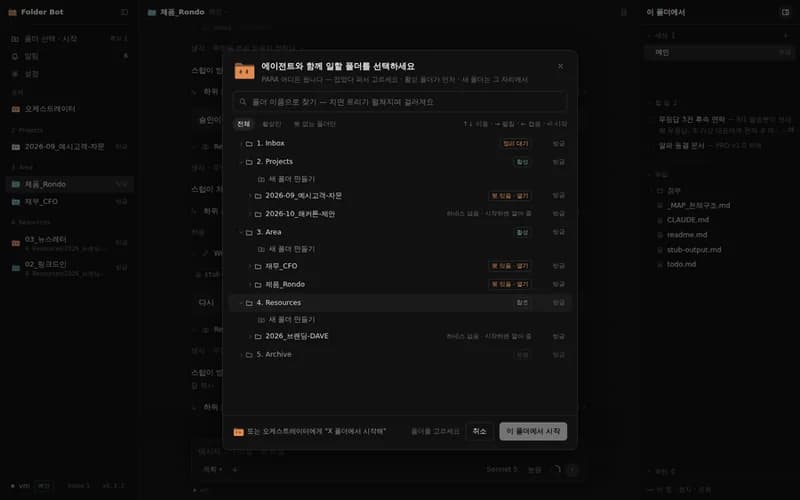
The folder picker — start a bot from any folder in the PARA tree